How to Make a Strong Password: The Ultimate Guide to Password Security in 2026
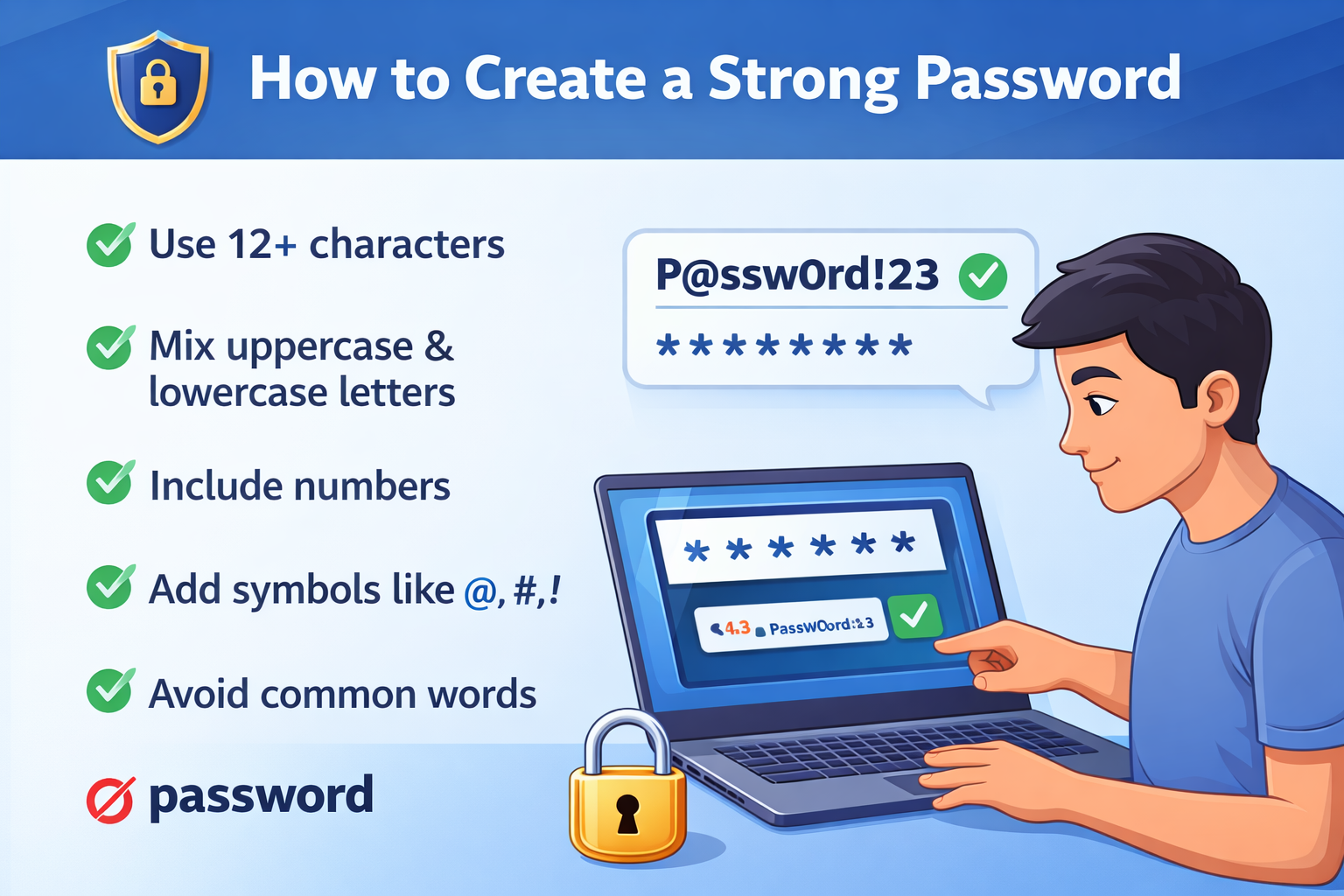
In today’s digital world, your password is the first line of defense against cybercriminals. Yet, millions of people still use “123456” or “password” as their credentials. This comprehensive guide will show you exactly how to create a strong password that keeps your accounts safe while remaining manageable.
Why Strong Passwords Matter More Than Ever
Cybersecurity breaches are at an all-time high. Hackers use sophisticated tools that can crack weak passwords in seconds. Understanding the difference between weak and strong passwords could mean the difference between a secure account and a devastating data breach.
A weak password like “john1990” can be cracked almost instantly. Meanwhile, a strong password like “Tr0pic@l$unset#2026!mX9” would take centuries to break using brute-force methods.
What Makes a Password Strong?
Before diving into how to create a strong password, let’s understand what security experts look for:
Password Entropy: The Science of Randomness
Password entropy measures how unpredictable your password is. The higher the entropy, the more secure your password. Entropy increases with:
- Length (more characters = better security)
- Character variety (mixing uppercase, lowercase, numbers, and symbols)
- Randomness (avoiding predictable patterns or dictionary words)
Password Length Best Practice
Security experts universally agree: the best practice for password length is a minimum of 12 characters, with 16+ characters ideal for sensitive accounts. Each additional character exponentially increases the time needed to crack your password.
Here’s the reality:
- 8 characters: Can be cracked in hours
- 12 characters: Takes years
- 16+ characters: Takes centuries with current technology
Strong Password Examples
Need inspiration? Here are some strong password examples that demonstrate proper security principles:
M7#pLe$yRup&Oak2026!Tr@vel*B00k#Paris$92Q9!xRain^Forest&TigerBlu3$Ocean#Wave*K7p!D@nc3*Moon&Star#L5v2
Notice how each example combines:
- Uppercase AND lowercase letters
- Numbers scattered throughout
- Special characters (!@#$%^&*)
- No obvious dictionary words
- Length exceeding 16 characters
How to Create a Strong Password: Step-by-Step Guide
Method 1: The Passphrase Technique
- Choose 4-5 random, unrelated words
- Add numbers between words
- Replace letters with symbols
- Mix uppercase and lowercase letters randomly
Example: Coffee + Mountain + Dragon + 2026 = C0ff3e#Mount@in&Dr4gon!2026
Method 2: Use a Secure Password Generator
The easiest way to create unbreakable passwords is to use a secure password generator. Our random password generator creates cryptographically strong passwords instantly with customizable options:
- Choose password length (12-32 characters)
- Include/exclude special characters
- Generate multiple passwords at once
- Copy with one click
- 100% secure – never stored or logged
Try our strong password generator free tool to create passwords like: K#9mP$vL2@xR7!qW3*nF8
This random password generator uses advanced algorithms to maximize password entropy and ensure true randomness.
Method 3: The Pattern Substitution Method
- Start with a memorable phrase: “I love hiking in the mountains during summer.”
- Take first letters: “Ilhitmds.”
- Substitute with numbers/symbols: “1Lh!tM&s”
- Add random elements: “1Lh!tM&s#2026$xQ”
Password Security Tips: Beyond Creation
Creating a strong password is just the beginning. Follow these password security tips for maximum online password safety:
1. Use Unique Passwords for Accounts
Never reuse passwords across multiple sites. If one account gets breached, hackers will try that password everywhere. Use unique passwords for every account.
2. Enable Two-Factor Authentication (2FA)
Even the strongest password benefits from a second layer of security. 2FA requires both your password and a verification code from your phone.
3. Update Passwords Regularly
Change passwords for sensitive accounts every 3-6 months, especially for banking, email, and social media.
4. Never Share Your Passwords
Legitimate companies will NEVER ask for your password via email, text, or phone call.
5. Use a Password Manager
Can’t remember dozens of complex passwords? A password manager securely stores all your credentials with military-grade encryption.
How to Make a Strong Password for Gmail
Gmail is often your recovery email for other accounts, making it critical to secure. Here’s how to make a strong password for Gmail:
- Use our password generator
- Set length to 16+ characters
- Enable all character types (uppercase, lowercase, numbers, symbols)
- Generate and copy your new password
- Update your Gmail security settings
- Enable 2-Step Verification immediately
How to create a password example for Gmail: Gm@il$ecur3#2026!T9pL*vX
The 8 4 Rule for Creating Strong Passwords
You might hear about the 8 4 rule for creating strong passwords. This outdated guideline suggests:
- Minimum 8 characters
- At least 1 uppercase letter
- At least 1 lowercase letter
- At least 1 number
- At least 1 special character
Important: The 8-4 rule is now considered the bare minimum. Modern security standards recommend 12-16 characters minimum.
Top 7 Passwords to NEVER Use
Wondering what the top 7 passwords people still use (and you should avoid)?
- 123456
- password
- 123456789
- 12345678
- 111111
- 123123
- qwerty
These passwords can be cracked in under one second. They offer zero security.
5 Tips to Create a Strong Password
Here are our 5 tips to create a strong password that you’ll actually remember:
- Think in Sentences, Not Words – Use passphrases that are meaningful to you but random to others
- Mix It Up – Combine uppercase, lowercase, numbers, and symbols throughout
- Go Long – Aim for 16+ characters whenever possible
- Avoid Personal Info – No birthdays, names, addresses, or phone numbers
- Use a Generator – Let our tool do the heavy lifting with a strong password generator, Google-level security
Easy-to-Remember Password Generator Technique
Want an easy-to-remember password generator method? Try the “Sentence Method”:
- Think of a memorable sentence: “My dog Bruno loves playing fetch at sunset.”
- Take first letters: “MdBlpf@s.”
- Add personal but obscure numbers: “MdBlpf@s17”
- Add symbols: “MdB!lpf@$17#.”
- Make it longer: “MdB!lpf@$17#xQ2.”
Result: MdB!lpf@$17#xQ2 – 15 characters, highly secure, relatively easy to remember
Strong Password Examples with Numbers
Need strong password examples with numbers integrated naturally?
7Re@sure$Map&2026!Q9Bl4ze*Trail#88&mX2W1nt3r^Storm$2026!pKG@l4xy#Planet*75&vRR0cket$Launch!2026#nM
Tools and Resources
Our Free Password Generator
- Strong password generator free with no registration required
- Customizable length and complexity
- Bulk password generation
- Password strength checker
- Zero data collection – your passwords are never stored
Password Strength Checker
Not sure if your current password is secure? Use our built-in strength analyzer to evaluate:
- Character variety
- Length adequacy
- Dictionary word detection
- Common pattern identification
- Overall security score
Frequently Asked Questions (FAQs)
What is an example of a strong password?
A strong password example would be: xQ7!mP$vL2@nR9*kF3# – This 19-character password includes uppercase letters, lowercase letters, numbers, and special symbols with no predictable patterns. It would take trillions of years to crack using current technology.
How do you create a strong password?
To create a strong password: Use at least 12-16 characters, combine uppercase and lowercase letters, include numbers and special symbols, avoid dictionary words and personal information, and make each password unique for every account. The fastest method is using a secure password generator.
What are the top 7 passwords?
The top 7 most commonly used (and weakest) passwords are: 123456, password, 123456789, 12345678, 111111, 123123, and qwerty. These passwords are extremely dangerous and can be cracked in seconds. Never use these or similar simple patterns.
What is the 8 4 rule for creating strong passwords?
The 8 4 rule suggests using a minimum of 8 characters with at least 1 uppercase letter, 1 lowercase letter, 1 number, and 1 special character. However, this rule is now outdated. Current best practices recommend 12-16+ characters for optimal security.
Strong password examples?
Strong password examples include: Tr0pic@l$unset#2026!mX, M7#pLe$yRup&Oak!Q9v, Blu3$Ocean#Wave*2026K, and D@nc3*Moon&Star#L5v2. Each contains 16+ characters with mixed case letters, numbers, and symbols distributed randomly.
Strong password generator free?
Yes! Our strong password generator free tool creates secure, randomized passwords with customizable options. It’s completely free, requires no registration, and never stores or logs your generated passwords – ensuring complete privacy and security.
5 tips to create a strong password?
The 5 essential tips are: (1) Use 16+ characters for maximum security, (2) Mix uppercase, lowercase, numbers, and symbols throughout, (3) Avoid personal information like names and birthdays, (4) Create unique passwords for every account, and (5) Use a password generator or manager to create and store complex passwords securely.
Strong password generator, Google?
While Google offers password generation in the Chrome browser, our dedicated random password generator provides more customization options, bulk generation capabilities, and password strength analysis. Both create secure passwords, but standalone generators offer additional features and flexibility.
How to make a strong password for Gmail?
For Gmail, use 16+ characters combining uppercase, lowercase, numbers, and symbols. Visit our website to generate a secure password, then enable Google’s 2-Step Verification for additional protection. Example: Gm@il$ecur3#2026!T9pL*vX – never use obvious patterns or personal information.
How to create a password example?
Here’s a step-by-step example: Start with a phrase “Blue Sky Mountain 2026” → Take first letters “BSM2” → Add symbols “BM2″→Mixcase”bM2″ → Mix case “b M2″ → Add random characters “bM2#xQ9″ → Extend length “b M2#xQ9!pL@v7*” → Result: b$M2#xQ9!pL@v7* (16 characters, highly secure).
Strong password examples with numbers?
Examples integrating numbers naturally: 7Re@sure$Map&2026!Q9, Bl4ze*Trail#88&mX2, W1nt3r^Storm$26!pK, R0cket$Launch!26#nM, and G@l4xy#Planet*75&vR. Notice how numbers are distributed throughout rather than just added at the end.
Easy-to-remember password generator?
For memorable passwords, use the passphrase method: Choose 3-4 random words, add numbers between them, replace letters with symbols, and mix cases. Example: “Coffee Mountain Dragon” becomes C0ff3e#Mount@in&Dr4gon!26. Our tool offers a memorable password option for this purpose.
Conclusion: Take Action Today
Now you know exactly how to create a strong password using proven methods. Don’t wait until after a breach – secure your accounts today.
Quick Action Steps:
- Generate strong passwords for your critical accounts
- Start with email, banking, and social media
- Enable two-factor authentication everywhere possible
- Consider using a password manager to track everything
- Update your passwords every 3-6 months
Remember: A strong password is your digital armor. Invest five minutes today to protect years of digital memories, financial data, and personal information.
Ready to create unbreakable passwords? Try our free password generator tool now and secure your digital life in seconds.